Wednesday, April 18, 2012
Clean room and flash ssd advanced data recovery training in Europe September
Data Recovery Salon is proud to announce in September we are offering Advanced Data Recovery Training in Portugal. Data Recovery Salon has teamed up with PCLab in Portugal to host three advanced training classes.
The classes will begin on September 3rd to September 7th.

Tuesday, April 17, 2012
How To Fix Damaged ATA Module For WD Black I Series
ATA Module And How To Fix Damaged ATA Module
ATA Module Overview
1,It’s used to get into the factory mode.
2,The LBA value becomes 0 when it’s damaged.
3,ROM and ATA module must be compatible with each other.
How To Fix Damaged ATA Module For WD Black I Series
1.Find a compatible drive (same model number and pcb number)
2.Backup the ATA module from donor drive.
3.Swap the pcb and upload the ATA module.
4.Power off and on.
About are just general hdd repair tips, more hdd repair tips are available in our data recovery books or you may read them in other data recovery articles.
ATA Module Overview
1,It’s used to get into the factory mode.
2,The LBA value becomes 0 when it’s damaged.
3,ROM and ATA module must be compatible with each other.
How To Fix Damaged ATA Module For WD Black I Series
1.Find a compatible drive (same model number and pcb number)
2.Backup the ATA module from donor drive.
3.Swap the pcb and upload the ATA module.
4.Power off and on.
About are just general hdd repair tips, more hdd repair tips are available in our data recovery books or you may read them in other data recovery articles.
Monday, March 5, 2012
Advanced Onsite In-house Data Recovery Training Video
Dear Friends and Visitors,
Thanks a lot for your interest in our data recovery training services. This advanced in-house onsite data recovery training course is provided by one of our data recovery experts-Ann Leflore.
You can watch the video below to learn everything about Ann Leflore and what you can learn from this training.
Customers can arrange staffs within 9 to have one small class with the data recovery expert so that each of the students can be well taken care of and they get the most out of the training.
Download The Video Of This Advanced Onsite Data Recovery Training
Watch The Video Now:
Having knowledge on data recovery is a must for any computer user
If not all, most work nowadays are done with the use of computers. Even, communications are not anymore exclusively done through telephones and mobile phones or snail mail but by the use of computers via the internet. These days a lot of things are dependent on a machine most especially computers, laptops, and mobile gadgets; it is important to know how we can use them effectively and at the same time we should know how to take care of them and how to trouble shoot our computers if we are experiencing problems with them.
One of the most dreaded things that can happen and post a serious problem for anyone is data loss on a computer. Data loss is so serious that it can ruin a person's career, it can mean millions and millions of loss for a company, it can also be a loss of company partnership or deal. Sufficing to say that data loss is so bad that no one on their right minds will wish something like that would happen ever happen to them. Sadly, data loss is very much a reality and if you are not prepared to deal with it then it is a big loss.
Fortunately, there is a way to comat data loss. There are a lot of information on the internet on how to recover lost data. One of the very basics of retrieving lost data is by doing a systems restore that will put your computer back on a previous state and hopefully in a state that still have all your lost data. However, that do not always work.
Having knowledge on data recovery is a must for any computer user. All important information on your work, personal, and even your recreational like games are mostly in your computer. Nowadays, there are a lot of information on how to handle loss of data, even on severe situations which lead to your loss of data. There are technicians that gives onsite data recovery, which means a computer techinician will go to your location and try to recover your lost data. However, while services of the said nature is good and available, it is still better if you can do the data recovery yourself. Here are a couple of reasons why anyone that uses a computer should take time and have training on data recovery:
1) You are not dependent on a coputer techinician - If you are in a bind and pressed for time, you cannot always wait for the computer techinician to go to your location and work on trying to retrieve your loss data. There are also instances that performaing data recovery with severe problems may need some special work which cannot be done on your location; having knowledge of this will help you prepare and invest on a gadget or a software that will help you recover your data.
2) Higher Market Value - There is a saying that knowledge is power, on this situation, having the training for data recovery would really give you some sort of power; not only are you benefiting from the knowledge on how to recover data, but your family, friends and your co-workers as well. You can help your company or your boss not to loose a deal, transaction, reports, to a data loss if you can perform on site data recovery. Right there and then, you can get the data back and push forward.
Those are just a couple of reasons on how you will benefit from having the knowledge of data recovery, there are still a lot more benefits in knowing how to recover lost data. You just need to take time and invest on learning all you can about data recovery.
Tuesday, February 28, 2012
Premium Fast Data Recovery Software
We have recently got many data recovery cases which are actually level-0 data recovery cases which the customers should have fixed by themselves only if they are able to read English and have a little computer knowledge. We call these data recovery cases basic logical data recovery cases and we can usually recover the data within minutes using some data recovery software.
We are willing here on this data recovery magazine to share one useful fast data recovery software to all and hope it helps you out. However, this recovery software is not free because we usually recommend no freeware if you want positive and even 100% good results.
This data recovery software is priced at USD64.99 and it's one reasonable and attractive prices based on its following data recovery features and abilities:
1, Fast Data Recovery Software-This recovery software is 200% faster than other similar data recovery software and you can also use the quick search features to find the lost file immediately;
2, This data recovery software is extremely easy to use. If you happen to delete your valuable files, you can select "deleted recovery", if your partitions are gone, then select "Partition Recovery', if you accidentally formatted your hard drives or USB flash drives, select "Format Recovery", there're one more option is called "Raw Recovery" which means you can recover more lost files but it takes longer time;
3, This recovery software helps to recover lost data from hard drives, USB drives, memory cards, memory sticks, camera cards, or other storage devices;
4, You can simply use this recovery software in Windows NTFS, FAT12, FAT16 and FAT32 and also EXT2 and EXT3 under most prevailing operating systems(Windows 98, Windows NT, Windows 2000, Windows 2003, Windows XP, Windows Vista, Windows Vista X64, Windows 7 X32, Windows 7 X64.). If you have any questions during your operation with this recovery software, free technique support is offered.
In a word, this recovery software is not perfect, but it's worth the price and helps many common data recovery loss situations. As many other standard data recovery software, it doesn't recover data from undetected or dead storage devices until you restored them with data recovery hardware tools.
You can download this data recovery software and try it for free here or you can buy this data recovery software directly using paypal, credit card or other payment methods here so that you can now do data recovery by yourself.
We are willing here on this data recovery magazine to share one useful fast data recovery software to all and hope it helps you out. However, this recovery software is not free because we usually recommend no freeware if you want positive and even 100% good results.
This data recovery software is priced at USD64.99 and it's one reasonable and attractive prices based on its following data recovery features and abilities:
1, Fast Data Recovery Software-This recovery software is 200% faster than other similar data recovery software and you can also use the quick search features to find the lost file immediately;
2, This data recovery software is extremely easy to use. If you happen to delete your valuable files, you can select "deleted recovery", if your partitions are gone, then select "Partition Recovery', if you accidentally formatted your hard drives or USB flash drives, select "Format Recovery", there're one more option is called "Raw Recovery" which means you can recover more lost files but it takes longer time;
3, This recovery software helps to recover lost data from hard drives, USB drives, memory cards, memory sticks, camera cards, or other storage devices;
4, You can simply use this recovery software in Windows NTFS, FAT12, FAT16 and FAT32 and also EXT2 and EXT3 under most prevailing operating systems(Windows 98, Windows NT, Windows 2000, Windows 2003, Windows XP, Windows Vista, Windows Vista X64, Windows 7 X32, Windows 7 X64.). If you have any questions during your operation with this recovery software, free technique support is offered.
In a word, this recovery software is not perfect, but it's worth the price and helps many common data recovery loss situations. As many other standard data recovery software, it doesn't recover data from undetected or dead storage devices until you restored them with data recovery hardware tools.
You can download this data recovery software and try it for free here or you can buy this data recovery software directly using paypal, credit card or other payment methods here so that you can now do data recovery by yourself.
Friday, February 24, 2012
Market Research on UK Data Recovery Market
Before we enter the review of the data recovery in UK, there are some important basic information we should learn which will help to understand more about the UK data recovery situations inlcuding the data recovery companies, data recovery tools used there and the data recovery cost in UK.
UK is a sovereign state located off the north-western coast of continental Europe. The country includes the island of Great Britain, the north-eastern part of the island of Ireland and many smaller islands. Northern Ireland is the only part of the UK that shares a land border with another sovereign state—the Republic of Ireland. Apart from this land border the UK is surrounded by the Atlantic Ocean, the North Sea, the English Channel and the Irish Sea.
UK Map-Data recovery salon

Capital of United Kingdom: London
United Kingdom Languages: English, Welsh (about 26% of the population of Wales), Scottish form of Gaelic (about 60,000 in Scotland)
United Kingdom Currency: GBP
United Kingdom Country Code: 44
Telephone Country Code: 44
ISO Country Code, 2 Digit: GB
ISO Country Code, 3 Digit: GBR
Latest UK internet users: 51,442,100 Internet users as of June/10, 82.5% of the population, according to ITU.
Latest UK Population: 62,348,447 population for 2010, according to US Census Bureau.
United Kingdom Electrical Outlet 230 V,50 Hz

Data Recovery Companies Recommended in UK:
Based in Manchester in the North of England, Cheadle Data Recovery has been trading successfully since 2006. The aim has been to offer a personal, professional and friendly service. Cheadle Data Recovery can recover data from all types of media, including hard disk drives, solid state disks, flash NAND technology (memory cards / usb pens drives) and optical media. Cheadle Data Recovery specialises in the recovery of data from RAID arrays and servers and has a high success rate with these devices. As such Cheadle Data Recovery offers the following terms:
- Fixed price quotations.
- No diagnosis fee & whilst-you-wait diagnostic service.
- If it is not possible to recover your data there is no fee whatsoever.
- No hidden charges (e.g. per gigabyte recovery, or excessive postage fees).
We focus on helping clients in the Greater Manchester, Cheshire, Merseyside, Lancashire, Derbyshire, and Yorkshire areas. This allows us to give face to face contact and personal reassurance. Customers are encouraged to visit the premises in South Manchester and have a disk diagnosis whilst they wait. A complimentary call out service for individuals or organisations who have suffered data loss due to a failed server, multi-disk NAS or RAID array is also offered. We accept work from across the UK and have had a number of happy customers from international locations.
The Cheadle Data Recovery Websites are located at:
http://www.cheadldatarecovery.co.uk
http://raidserverdatarecovery.co.uk
Plug/socket/Electrical Outlet worldwide lookup table
Data Recovery Books and resources to start or improve data recovery business
UK is a sovereign state located off the north-western coast of continental Europe. The country includes the island of Great Britain, the north-eastern part of the island of Ireland and many smaller islands. Northern Ireland is the only part of the UK that shares a land border with another sovereign state—the Republic of Ireland. Apart from this land border the UK is surrounded by the Atlantic Ocean, the North Sea, the English Channel and the Irish Sea.
UK Map-Data recovery salon
Capital of United Kingdom: London
United Kingdom Languages: English, Welsh (about 26% of the population of Wales), Scottish form of Gaelic (about 60,000 in Scotland)
United Kingdom Currency: GBP
United Kingdom Country Code: 44
Telephone Country Code: 44
ISO Country Code, 2 Digit: GB
ISO Country Code, 3 Digit: GBR
Latest UK internet users: 51,442,100 Internet users as of June/10, 82.5% of the population, according to ITU.
Latest UK Population: 62,348,447 population for 2010, according to US Census Bureau.
United Kingdom Electrical Outlet 230 V,50 Hz
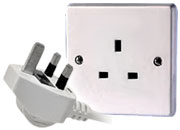
Data Recovery Companies Recommended in UK:
Based in Manchester in the North of England, Cheadle Data Recovery has been trading successfully since 2006. The aim has been to offer a personal, professional and friendly service. Cheadle Data Recovery can recover data from all types of media, including hard disk drives, solid state disks, flash NAND technology (memory cards / usb pens drives) and optical media. Cheadle Data Recovery specialises in the recovery of data from RAID arrays and servers and has a high success rate with these devices. As such Cheadle Data Recovery offers the following terms:
- Fixed price quotations.
- No diagnosis fee & whilst-you-wait diagnostic service.
- If it is not possible to recover your data there is no fee whatsoever.
- No hidden charges (e.g. per gigabyte recovery, or excessive postage fees).
We focus on helping clients in the Greater Manchester, Cheshire, Merseyside, Lancashire, Derbyshire, and Yorkshire areas. This allows us to give face to face contact and personal reassurance. Customers are encouraged to visit the premises in South Manchester and have a disk diagnosis whilst they wait. A complimentary call out service for individuals or organisations who have suffered data loss due to a failed server, multi-disk NAS or RAID array is also offered. We accept work from across the UK and have had a number of happy customers from international locations.
The Cheadle Data Recovery Websites are located at:
http://www.cheadldatarecovery.co.uk
http://raidserverdatarecovery.co.uk
Plug/socket/Electrical Outlet worldwide lookup table
Data Recovery Books and resources to start or improve data recovery business
Data Recovery From Seagate 7200.11 Hard Drive With Bad Sectors
Mr. Wawas Ali just shared Data recovery Salon with one of his new data recovery case in his own data recovery lab. This is one data recovery video by Screen Recorder and we think it might be interesting to some of our readers. Anyway, he has included this video in his data recovery video packages and it's premium data recovery video.
About This Data Recovery Video
This data recovery video is to fix one Seagate 7200.11 hard drive with bad sectors. The patient hard drive received from his client is in busy status and Mr. Ali used Seagate doctor to diagnose the hard drive and found there're bad sectors in the first 54mb of the HDD. The partitions cannot be displayed in Windows mode but displayed in DOS mode.
When you scan this hdd by vectoria, it showed bad sectors from 54 mb to onwards and some time it lost the detection. Besides, it showed partition for some time and whenever you clicked the partition the hdd lost detection. It is the major problem in 7200.11 series hdd.
Mr. Ali has recorded the whole process to fix this kind of common problems of Seagate 7200.11 failures using screen recorder and explained in a word document in his data recovery video. The data recovery tools he used are: hd doctor for seagate , data recovery software-file scavenger(this software will be also included in his data recovery vedio package to be sent to customers), vectorio or hdat2, smart fdisk for dos.
If you are interested in Mr. Ali's data recovery video package, please visit the data recovery store.
Thursday, February 2, 2012
Data Recovery Basics In Poland
Before we enter the review of the data recovery in Poland, there are some important basic information we should learn which will help to understand more about the Poland data recovery situations including the data recovery companies, data recovery tools used there and the data recovery cost in Poland.
Poland is a country in Central Europe bordered by Germany to the west; the Czech Republic and Slovakia to the south; Ukraine, Belarus and Lithuania to the east; and the Baltic Sea and Kaliningrad Oblast, a Russian exclave, to the north.


Poland is a country in Central Europe bordered by Germany to the west; the Czech Republic and Slovakia to the south; Ukraine, Belarus and Lithuania to the east; and the Baltic Sea and Kaliningrad Oblast, a Russian exclave, to the north.
Capital of Poland: Warsaw
Poland Languages: Polish 97.8%, other and unspecified 2.2% (2002 census)
Poland Currency: New Zloty (replaceme (PLN)
Poland Country Code 48
Telephone Country Code: 48
ISO Country Code, 2 Digit: PL
ISO Country Code, 3 Digit: POL
Poland Languages: Polish 97.8%, other and unspecified 2.2% (2002 census)
Poland Currency: New Zloty (replaceme (PLN)
Poland Country Code 48
Telephone Country Code: 48
ISO Country Code, 2 Digit: PL
ISO Country Code, 3 Digit: POL
- Poland Map-Data Recovery Magazine

Poland latest internet users: 22,450,600 Internet users as of June/10, 58.4% of the population, according to ITU.
Poland latest population: 38,463,689 population for 2010, according to U.S Census Bureau.
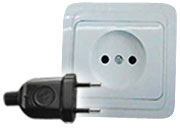
Poland Electrical Outlet: 230 V,50 Hz
Poland latest population: 38,463,689 population for 2010, according to U.S Census Bureau.
Poland Electrical Outlet: 230 V,50 Hz

Top Data Recovery Expert-David Edwards
Top Data Recovery Expert-David Edwards/Orlando, FL, USA
Data Recovery Salon is pleased to have Mr. David Edwards as one partner and special data recovery expert to offer advanced data recovery training courses for flash drives, jump drives, SSD, and PCB repair. Within the training courses, different data recovery technologies and data recovery tools involved with be introduced, demostrated and explained.
About David Edwards
Born in Athens, GA, I have always had strong desire to disassemble and repair computers and electronics since I was a child. I received my first Amiga computer at the age of 7 and built my first computer by myself at the age of 10. I have over 12 years’ experience as a professional in the I.T. industry starting out with basic repairs and networking; ending as an engineer in NAND based flash recoveries. I am currently a data recovery engineer working out of Orlando, FL at one famous data recovery company. I manage the research and development of various NAND devices, controllers, and storage chips. I have successfully performed flash recoveries for many consumers, businesses, and law enforcement officials from various devices such as USB flash drives, SD cards, and SSD’s.
>Computer Experience and Skill Base
• Flash based data recovery using Salvation Data and Soft-Center tools
• Damaged controllers and other various component repair
• Physical based hard drive recoveries
• Damaged PCB repair
• Rom replacements
• Logical based hard drive recoveries
• Windows 98 – 7
• Linux desktop (various distributions)
• Mac OSX
• Windows Server and Linux Server
• FAT, NTFS, AND HFS file systems
• Soldering various electronic components
• IBM AIX Server setup and install
• Basic and advanced computer repairs
• SQL and Quicken database recovery
• Flash based data recovery using Salvation Data and Soft-Center tools
• Damaged controllers and other various component repair
• Physical based hard drive recoveries
• Damaged PCB repair
• Rom replacements
• Logical based hard drive recoveries
• Windows 98 – 7
• Linux desktop (various distributions)
• Mac OSX
• Windows Server and Linux Server
• FAT, NTFS, AND HFS file systems
• Soldering various electronic components
• IBM AIX Server setup and install
• Basic and advanced computer repairs
• SQL and Quicken database recovery
> Professional Work Experience
Data Analyzers-Data Recovery Engineer
• Flash recovery
• Replace defective components
• Read out NAND memory chips and de-mix the storage algorithms
• Logical and physical hard drive recoveries
• Cell phone recovery and forensics
• AIX server recovery
• File system repair and recovery
Data Analyzers-Data Recovery Engineer
• Flash recovery
• Replace defective components
• Read out NAND memory chips and de-mix the storage algorithms
• Logical and physical hard drive recoveries
• Cell phone recovery and forensics
• AIX server recovery
• File system repair and recovery
Dyventive Inc. -Audio/Visual/Computer Technician – (On Call)
• At each event setup and networked 500+ Laptops\Desktops\Printers
• Deployed hardware for vendors such as Intersystems, Harley Davidson, Cisco, and VERITAS
• Configured switches and servers
• At each event setup and networked 500+ Laptops\Desktops\Printers
• Deployed hardware for vendors such as Intersystems, Harley Davidson, Cisco, and VERITAS
• Configured switches and servers
Travelcomm -IT Administrator
• Managed and Maintained network of 50+ computers at 3 different sites
• Built and Configured Windows 2003 server with active directory
• Provided technical support to employees
• Designed and Implemented VOIP system
• Managed and Maintained network of 50+ computers at 3 different sites
• Built and Configured Windows 2003 server with active directory
• Provided technical support to employees
• Designed and Implemented VOIP system
GI Broadband-Admin/Tech Support
• Provided on-demand technical assistance to customers
• Managed and supported the daily activities of 40+ field technicians
• Diagnosed and repaired computer hardware problems
• Maintained warehouse inventory
• Provided on-demand technical assistance to customers
• Managed and supported the daily activities of 40+ field technicians
• Diagnosed and repaired computer hardware problems
• Maintained warehouse inventory
Bright House Networks-High Speed Data (HSD) Technician
• Installed and configured LAN/WAN ISP connections onsite for residential and business customers
• Worked with wired and wireless (802.11b and 802.11g) networks
• Troubleshooting desktop connectivity problems to LAN
• Installed and configured LAN/WAN ISP connections onsite for residential and business customers
• Worked with wired and wireless (802.11b and 802.11g) networks
• Troubleshooting desktop connectivity problems to LAN
If you want to learn more about on how Mr. David Edwards become one of the top data recovery experts on flash drives, jump drives, SSD, and PCB repair, you can feel free to use the following contact details:
Monday, January 30, 2012
How To Fix Damaged Hard Drives With Jammed Spindle Motors
We have been told many times by our clean room data recovery engineers they have low success rate on drives with stuck motor and they cannot do much on these difficult cases until they begin to use the spindle replacement tool.
When we received damaged hard drives with stuck or jammed motors, we usually consider using some kind of hdd repair hardware to disassemble the hard drives, remove the heads carefully and then remove the platters of the patient drives to a donor hard drive. Well, this is not easy data recovery work especially when there're multiple platters of over 2 with dumpers between the platters.
We know there're some data recovery tools manufacturers claiming to be able to swap multiple platters with dumpers but few of them can do it with good result and even some of them caused second damage or permanent loss to our customers' data which disappointed and annoyed us a lot. There's one data recovery tools supplier declared their one-by-one platter exchange for jammed-motor drives with dumpers but it seems only their own clean room data recovery engineers are able to use that data recovery technology successfully but none of the rest. Maybe a thousand times' try will make it.
So what to do to increase our data recovery success rate while the traditional data recovery technology for jammed-motor drives failed?
Thanks to HDDsurgery, we got the spindle replacement tool. It's innovatively changing the way of clean room data recovery. It's to replace the jammed spindle instead of head and platter replacement which will be kept in place and alignment for successful data recovery. However, this tool is working so far for a limited drive families: Seagate 7200.11 and 7200.10 and support the following drive models: Read more here on data recovery magazine
When we received damaged hard drives with stuck or jammed motors, we usually consider using some kind of hdd repair hardware to disassemble the hard drives, remove the heads carefully and then remove the platters of the patient drives to a donor hard drive. Well, this is not easy data recovery work especially when there're multiple platters of over 2 with dumpers between the platters.
We know there're some data recovery tools manufacturers claiming to be able to swap multiple platters with dumpers but few of them can do it with good result and even some of them caused second damage or permanent loss to our customers' data which disappointed and annoyed us a lot. There's one data recovery tools supplier declared their one-by-one platter exchange for jammed-motor drives with dumpers but it seems only their own clean room data recovery engineers are able to use that data recovery technology successfully but none of the rest. Maybe a thousand times' try will make it.
So what to do to increase our data recovery success rate while the traditional data recovery technology for jammed-motor drives failed?
Thanks to HDDsurgery, we got the spindle replacement tool. It's innovatively changing the way of clean room data recovery. It's to replace the jammed spindle instead of head and platter replacement which will be kept in place and alignment for successful data recovery. However, this tool is working so far for a limited drive families: Seagate 7200.11 and 7200.10 and support the following drive models: Read more here on data recovery magazine
Subscribe to:
Posts (Atom)



 Posts
Posts

